Tour

Every screen, in light and dark.

Each image below is a real capture of Magpie's web app running locally over an invented library for a made-up robotics company: made-up articles on made-up addresses, covers drawn for the demo, and a placeholder Curio connection. Nothing was fetched from the web and nothing was sent to Curio. Switch the site theme and the screenshots follow.

Illustration: a tall wall of small plain wooden drawers in an empty archive room, one drawer pulled open to show a glinting brass object, with a teal lamp on a table at the edge of the frame.

The library

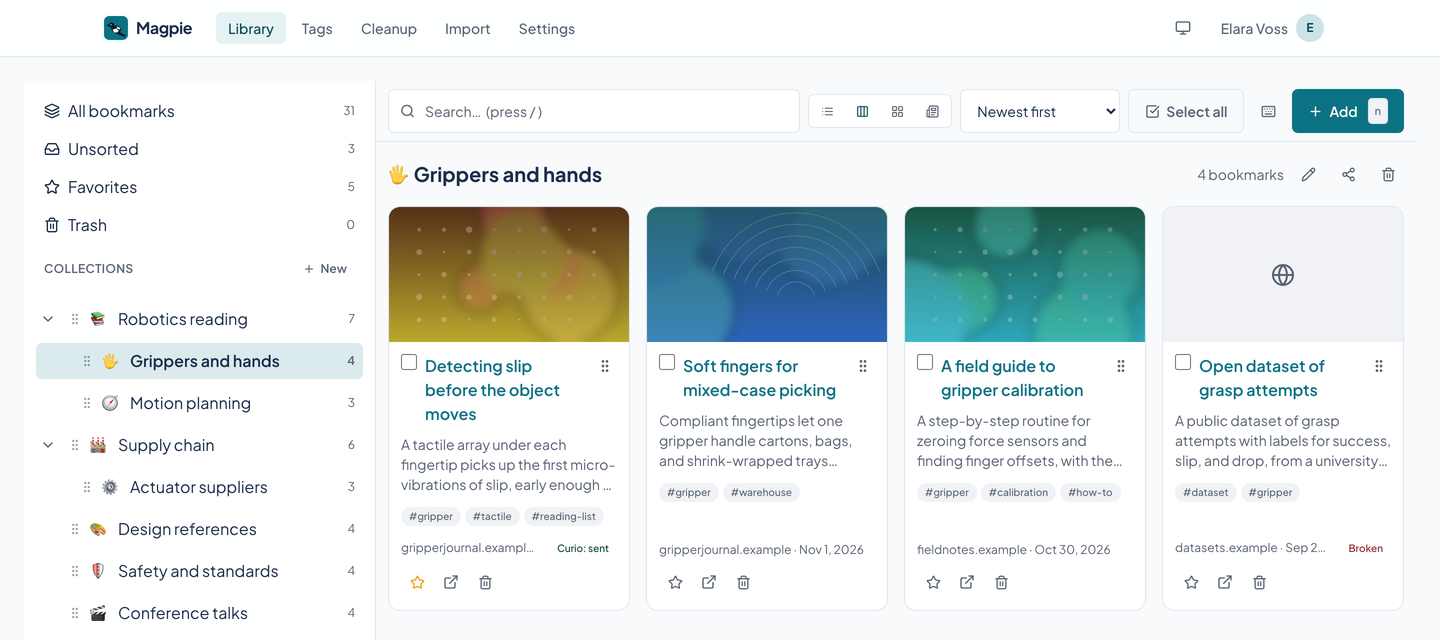
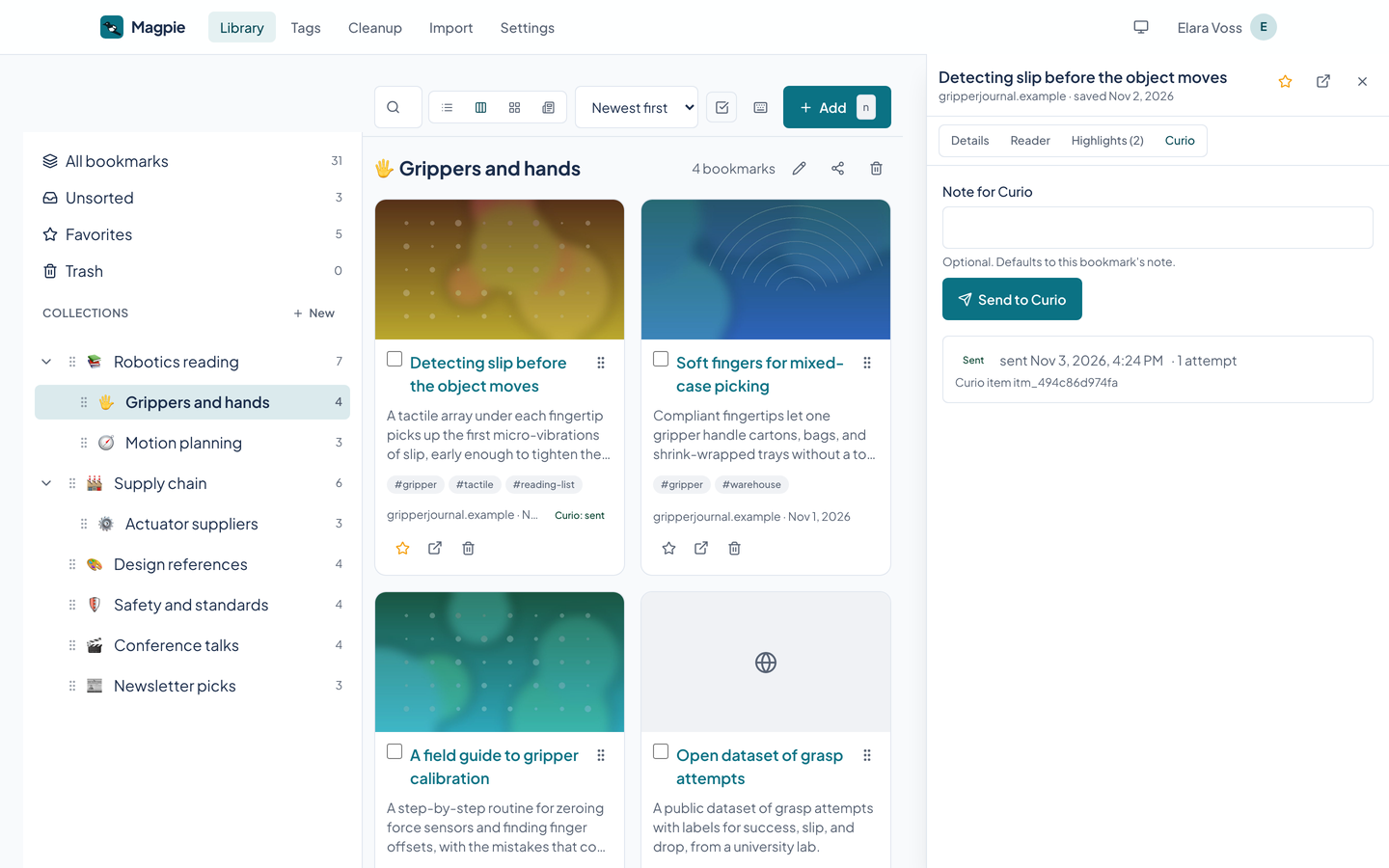
Magpie's library on invented data: a tree of nested collections with counts, and a row of bookmark cards with covers, tags, a Broken mark on one, and a Curio: sent mark on another.Magpie's library on invented data: a tree of nested collections with counts, and a row of bookmark cards with covers, tags, a Broken mark on one, and a Curio: sent mark on another.
Nested collections on the left, with counts, and the open collection in its own view. This one is in card view: covers, tags, a Broken mark on a dead link, and a Curio: sent mark on a bookmark that went to Curio. Enlarge to see the full screen.

Grid view

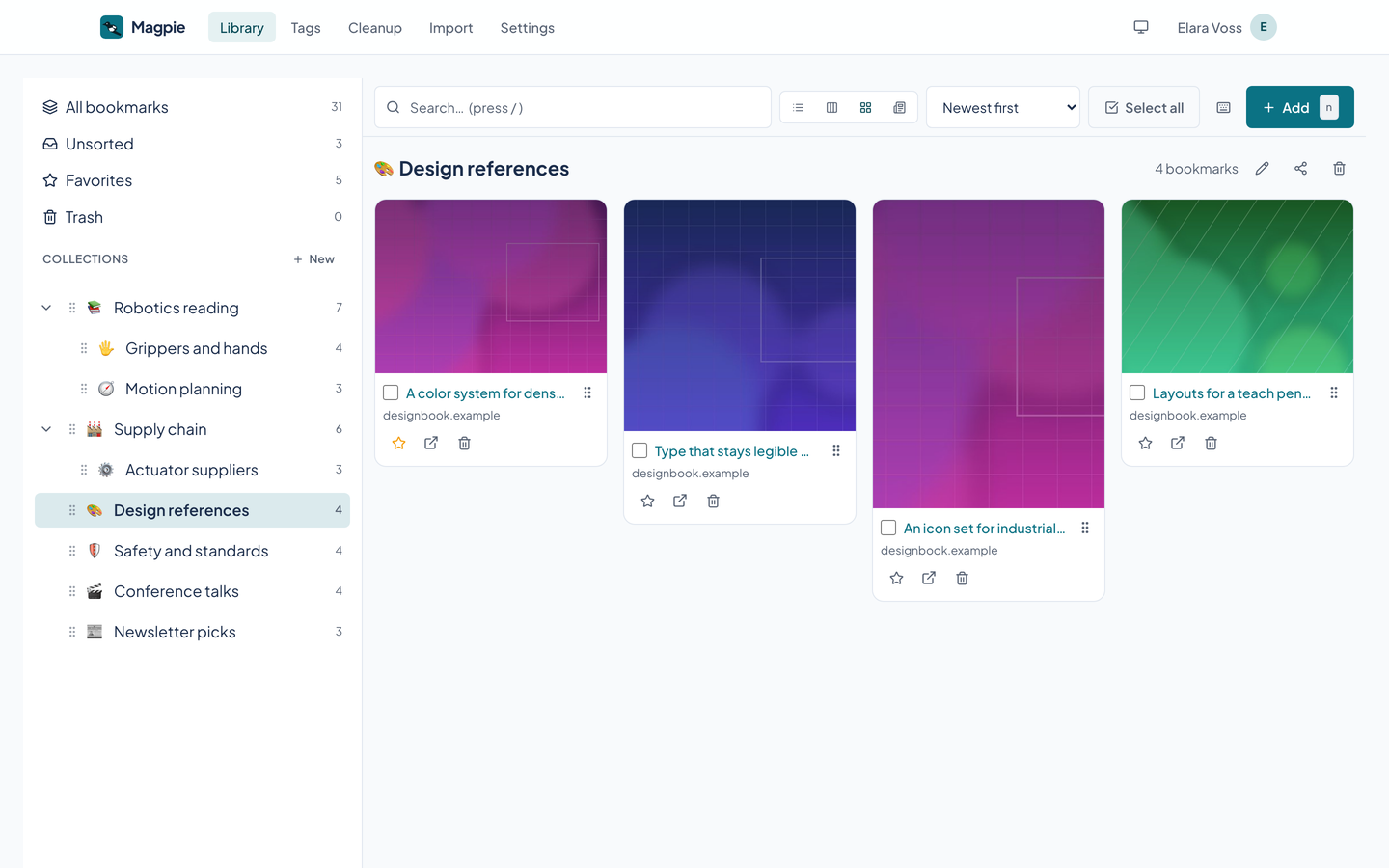
Magpie's grid view of the Design references collection: bookmark covers in a masonry of columns, each with a title and a domain.Magpie's grid view of the Design references collection: bookmark covers in a masonry of columns, each with a title and a domain.
A collection can show its bookmarks as a grid of covers. Each collection remembers its own view and sort.

The permanent copy

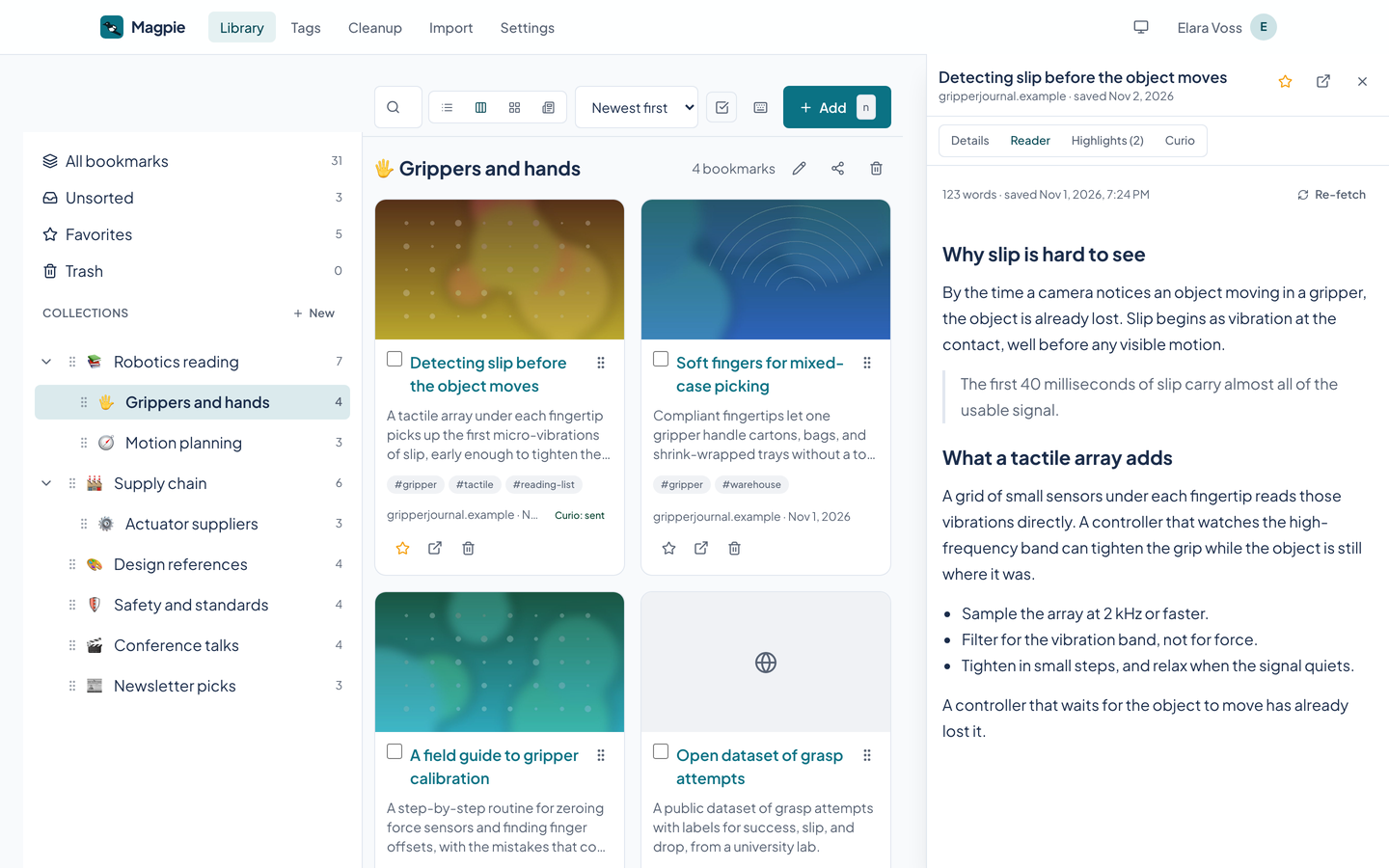
A bookmark's drawer on its Reader tab beside the library: the permanent copy of an article about detecting slip, with headings, a quotation, and a short list.A bookmark's drawer on its Reader tab beside the library: the permanent copy of an article about detecting slip, with headings, a quotation, and a short list.
The Reader tab of a bookmark's drawer: the readable text of the page, stored by Magpie, in a clean column. It stays when the original is gone.

Highlights

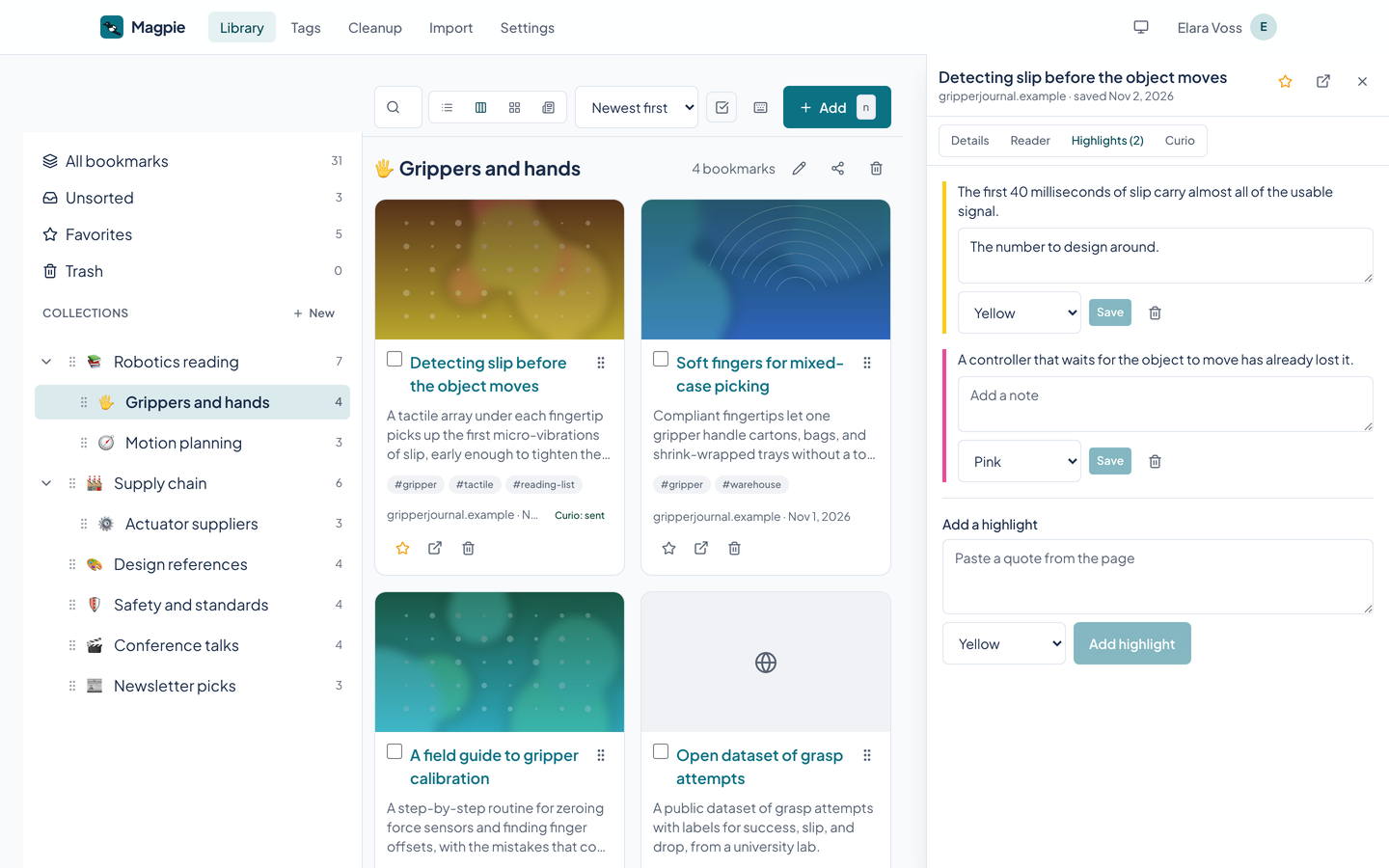
A bookmark's drawer on its Highlights tab: two saved passages, one yellow with a note and one pink, and a form to add another.A bookmark's drawer on its Highlights tab: two saved passages, one yellow with a note and one pink, and a form to add another.
Passages saved from the page, each with a color and a note. Highlights are searched with everything else.

A Curio delivery

A bookmark's drawer on its Curio tab: a note field, a Send to Curio button, and the recorded delivery, marked sent with a time and Curio's item number.A bookmark's drawer on its Curio tab: a note field, a Send to Curio button, and the recorded delivery, marked sent with a time and Curio's item number.
The Curio tab: a note for Curio, a Send to Curio button, and the recorded delivery, marked sent with its time and Curio's item number.

Duplicates

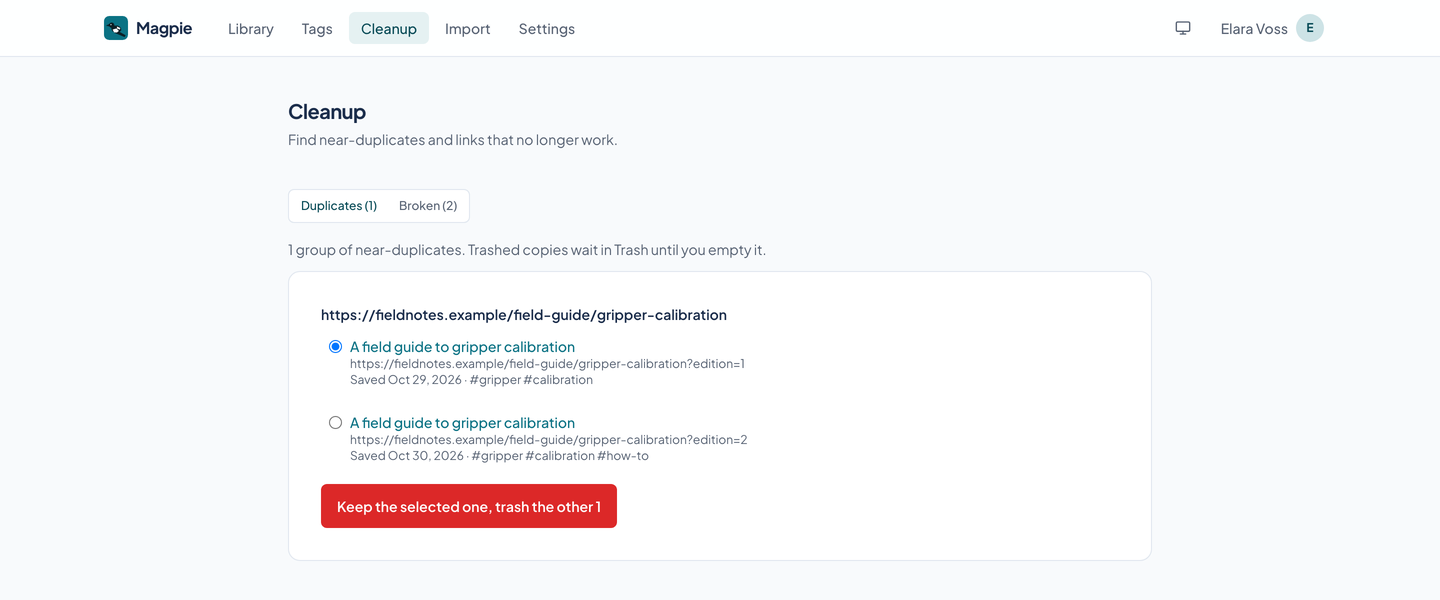
Magpie's Cleanup page on its Duplicates tab: one group of two bookmarks of the same field guide, with a button to keep the selected one and trash the other.Magpie's Cleanup page on its Duplicates tab: one group of two bookmarks of the same field guide, with a button to keep the selected one and trash the other.
The same field guide, saved twice with different query strings. Keep the selected one, and trash the other in one action.

Broken links

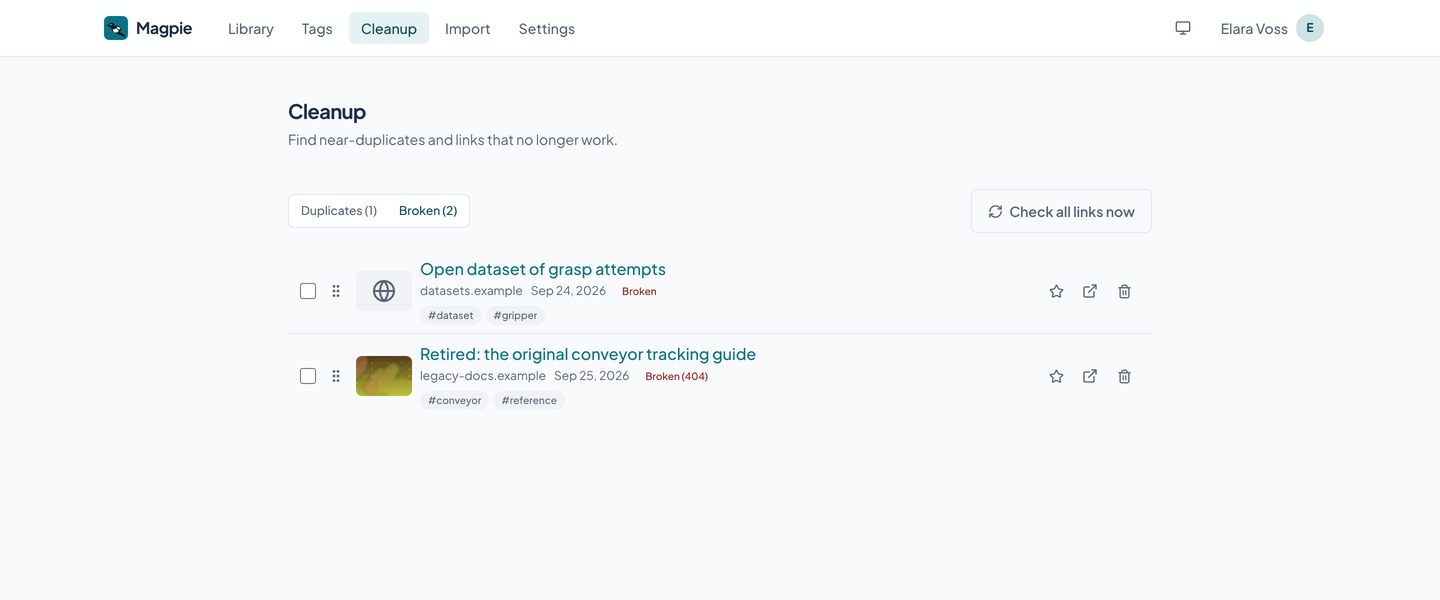
Magpie's Cleanup page on its Broken tab: two bookmarks marked broken, one with a 404 status, and a button to check all links now.Magpie's Cleanup page on its Broken tab: two bookmarks marked broken, one with a 404 status, and a button to check all links now.
Every bookmark whose last link check failed, with the status that failed it. A check can be run on demand.

Extension keys

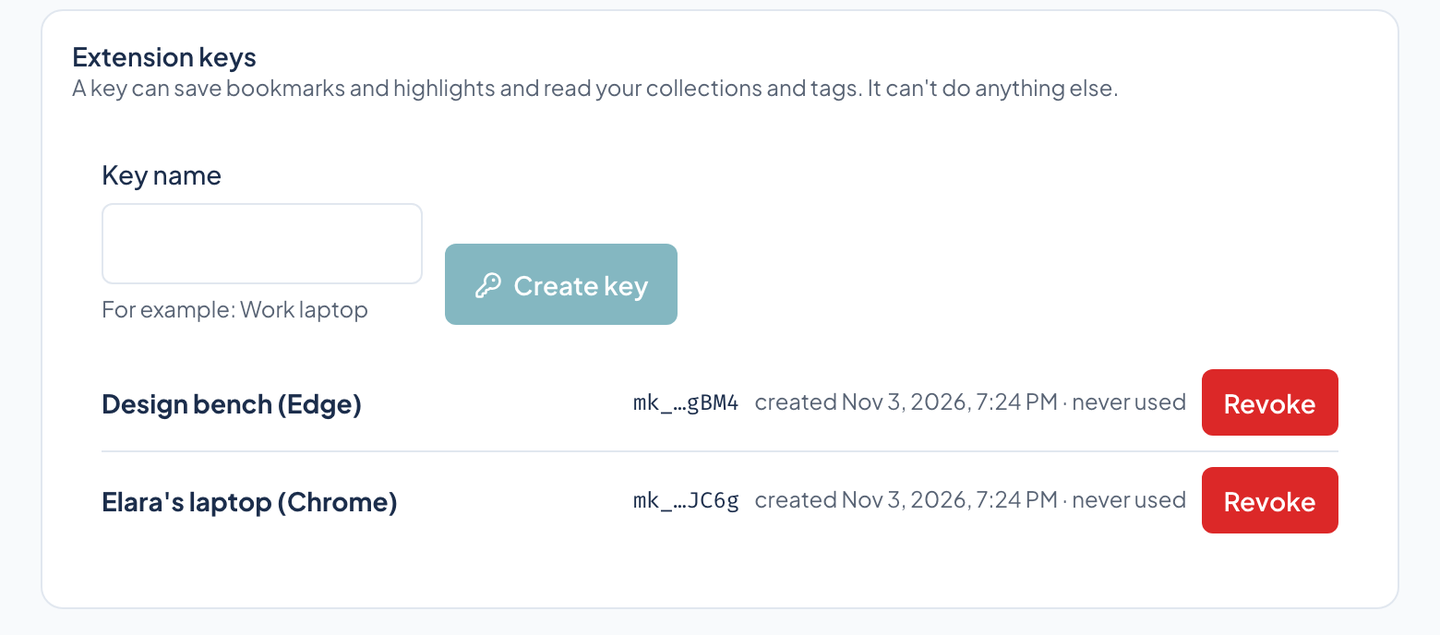
Magpie's Settings page on the Extension keys tab: two named keys listed with the last characters of each key, when it was created, that it has never been used, and a Revoke button.Magpie's Settings page on the Extension keys tab: two named keys listed with the last characters of each key, when it was created, that it has never been used, and a Revoke button.
Named keys for the Chrome extension, shown once when made, listed by their last characters, and revocable.

Connecting Curio

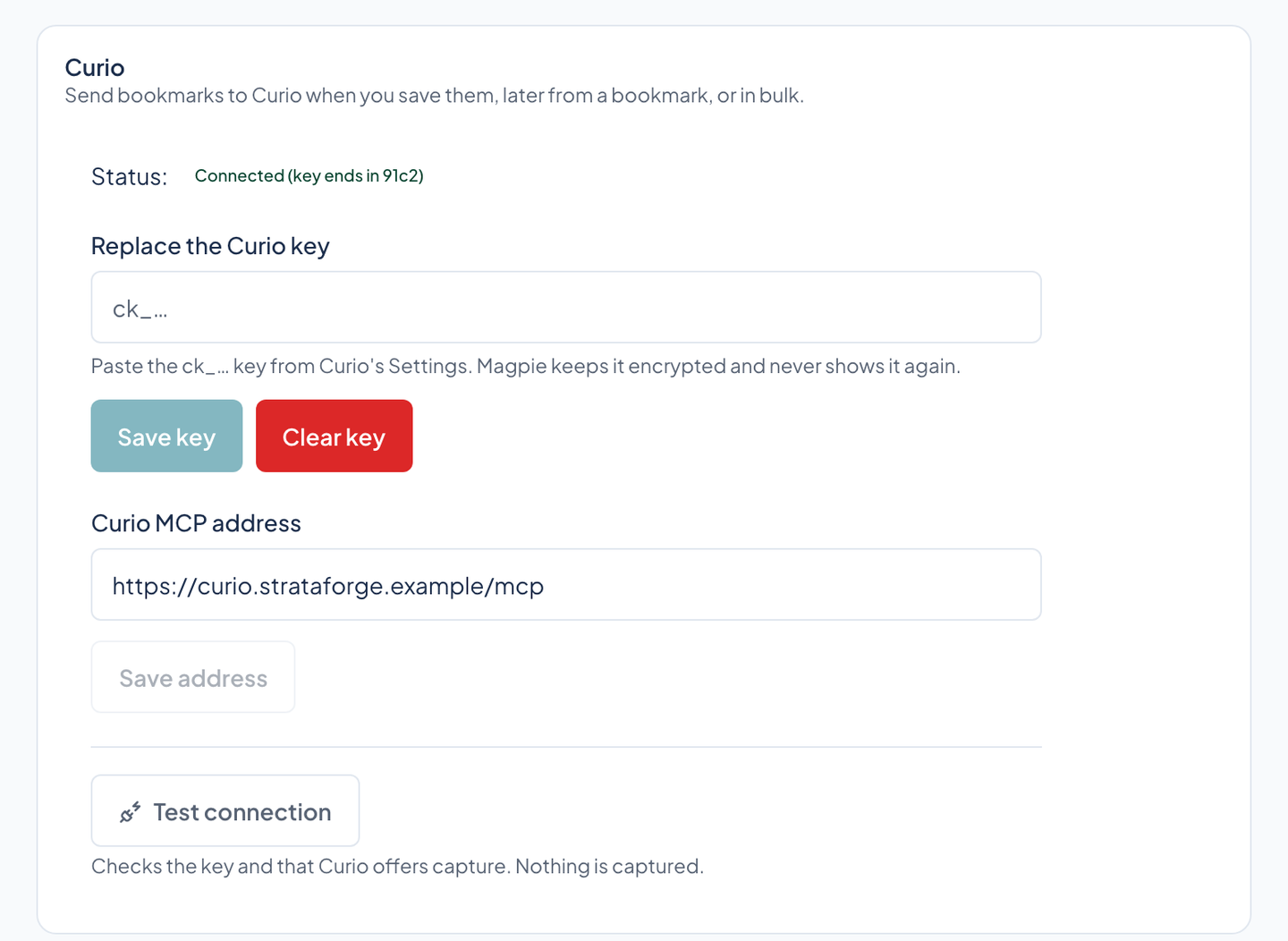
Magpie's Settings page on the Curio tab: a status line saying Connected with the last characters of the key, a field to replace the key, the Curio MCP address, and a Test connection button.Magpie's Settings page on the Curio tab: a status line saying Connected with the last characters of the key, a field to replace the key, the Curio MCP address, and a Test connection button.
A write-only capture key, the address of Curio's MCP server, and a Test connection button that captures nothing.

A public collection

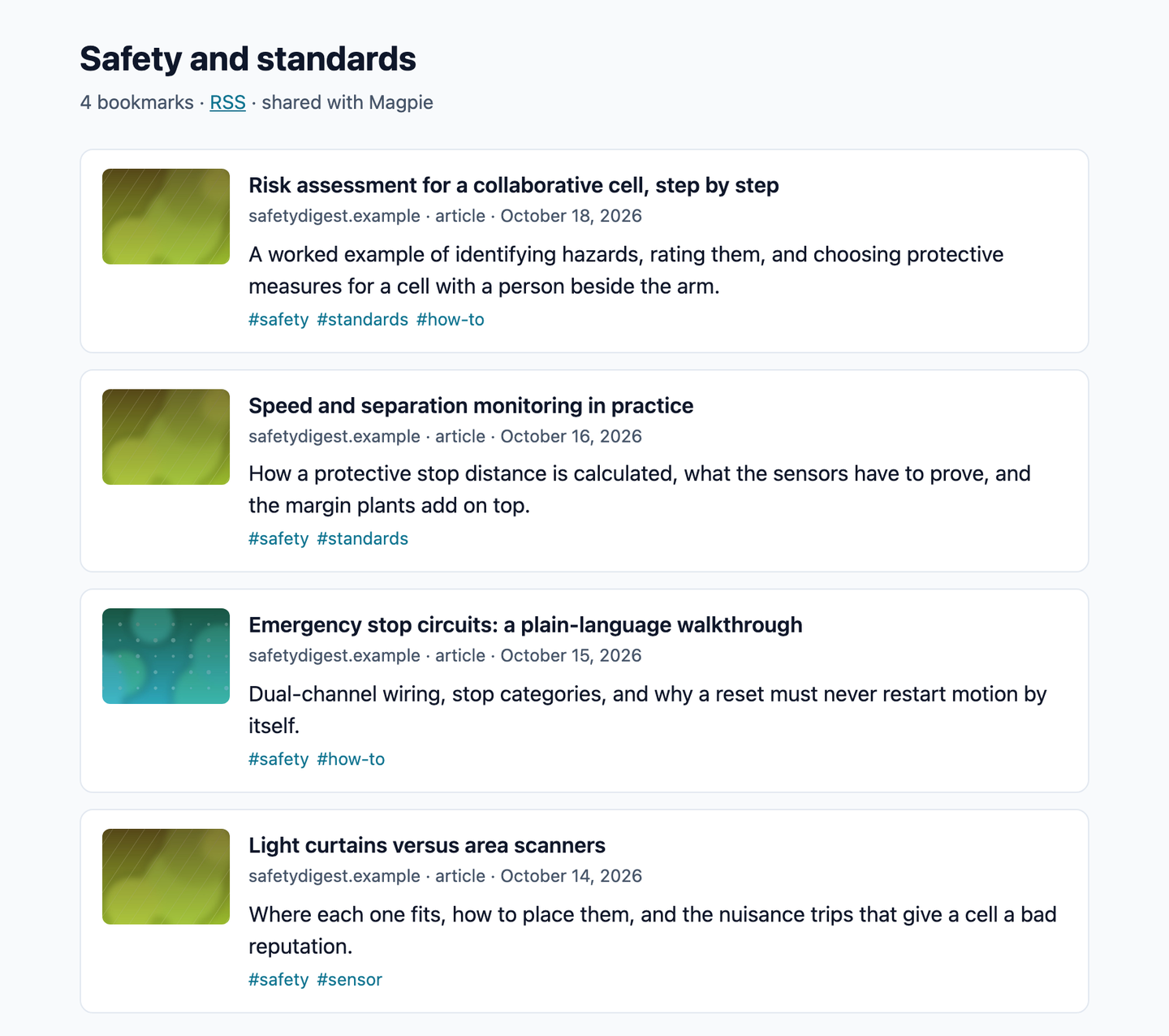
A shared collection's public page, Safety and standards: four bookmarks with a cover, title, domain, type, date, excerpt, and tags each, and a link to the RSS feed.A shared collection's public page, Safety and standards: four bookmarks with a cover, title, domain, type, date, excerpt, and tags each, and a link to the RSS feed.
A collection shared as a page with an RSS feed. Only titles, links, excerpts, covers, types, tags, and dates appear; notes and highlights never do.