
Keep everything worth keeping.
Magpie saves a page in two clicks and keeps a permanent copy of the article, so a link still means something after the site is gone. Search finds it by a word from the page, and Curio can have it too.

A library that keeps what it saves.
Magpie is the fleet's bookmark manager. It saves a page, stores a clean copy of the article, files and tags it, and finds it again by what the page said. It has run in production for Renkara's own use since November 3, 2026. These are the things it does.
Two clicks from any page
- A Chrome extension
- A toolbar popup with the page's title, a collection picker over the whole tree, tags with autocomplete, a note, and a favorite toggle. It works in Chrome and the browsers built on it, and a keyboard shortcut opens it. A check mark on the toolbar icon says the page is already saved.
- Page, link, selection, or every tab
- Right-click to save the page, a link, or a selected passage as a highlight, each at once to your default collection. Save all tabs files every open tab in the window in one batch.
- Saving never waits
- A save stores the bookmark and returns. The title, description, cover, and the copy of the page are fetched in the background afterward, so the popup closes at once and a slow site never holds you up.
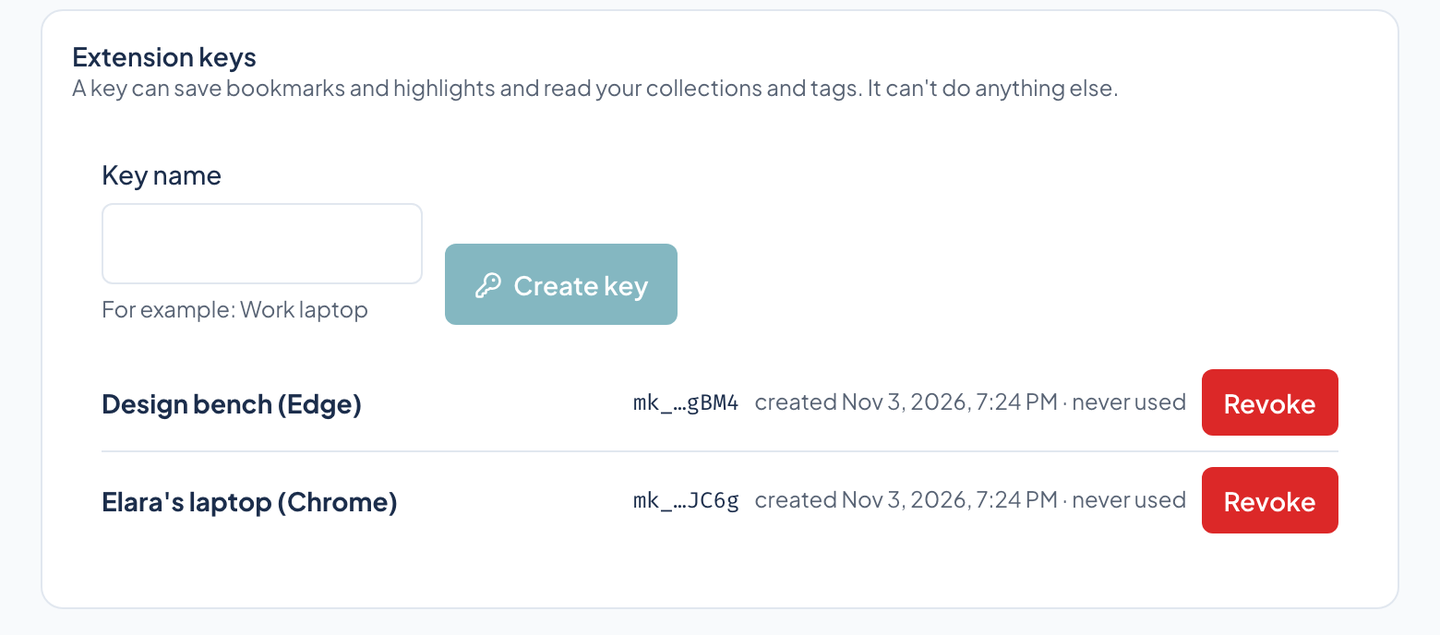
Keys for the extension, nothing more
The extension signs in with a named key you make in Settings. A key can save bookmarks and highlights and read your collections and tags, and nothing else; revoking it cuts it off at once.
A copy that stays, a search that reads it
Nested collections, tags, and an inbox
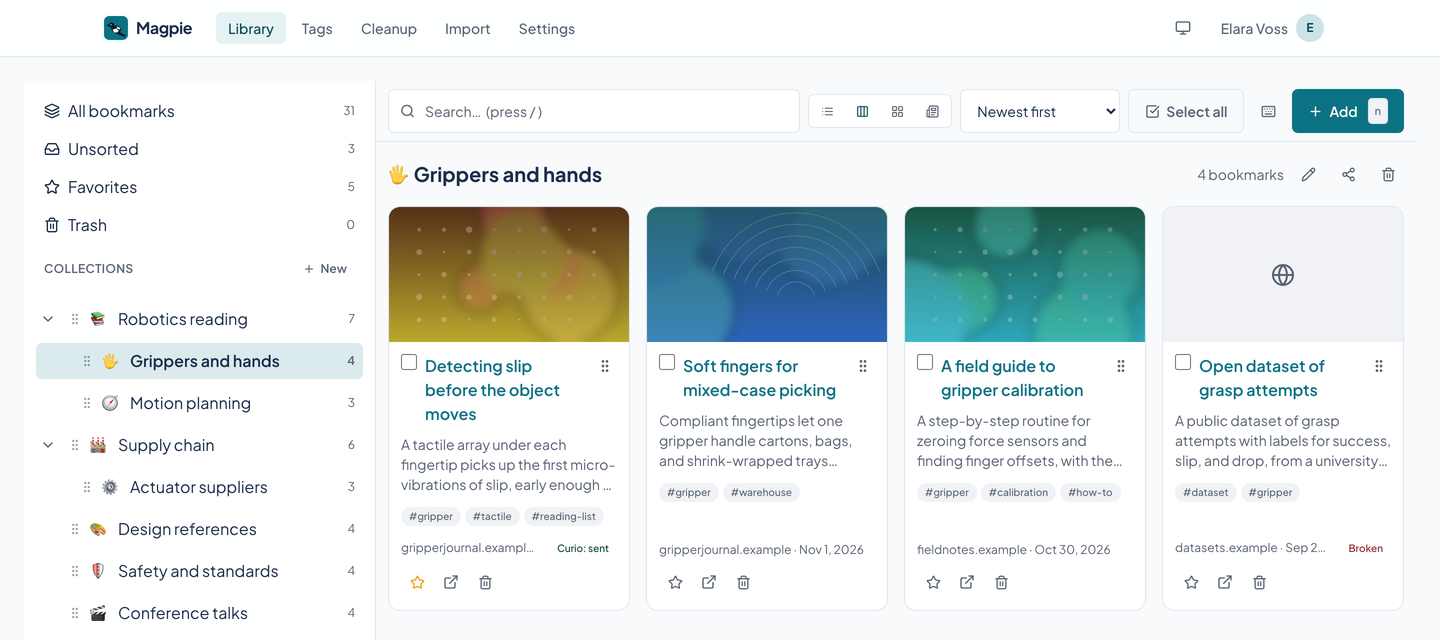
Collections nest eight levels deep with icons and colors, drag to reorder, and show their counts. Tags are free text, and anything saved with no collection waits in Unsorted until you file it. A collection remembers its own view: list, cards, grid, or headlines.
A permanent copy of the article
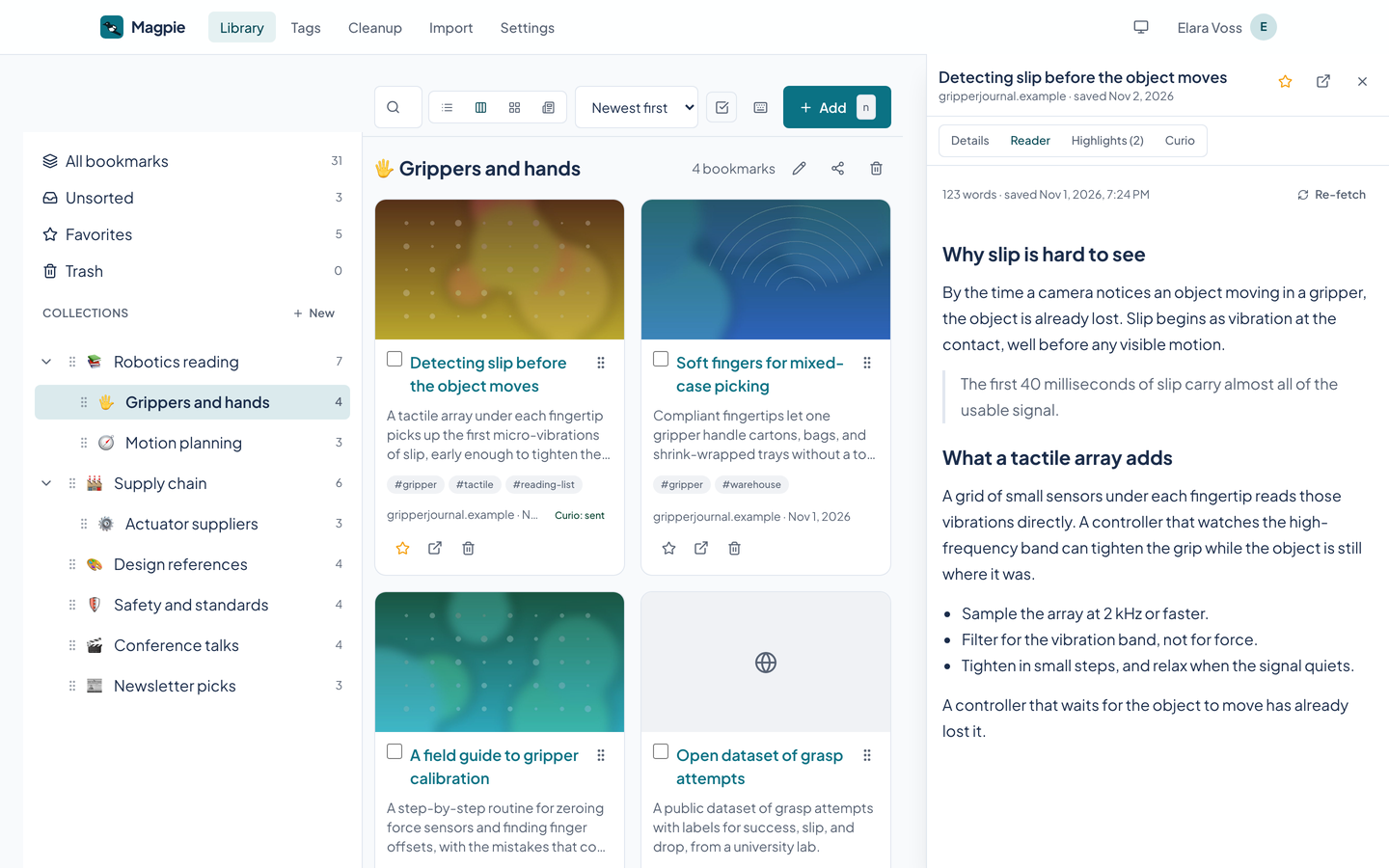
Magpie keeps the title, description, cover, type, and the readable text of the page, cleaned of menus, comments, and scripts, and shows it in a reader view. When the original is gone, the copy is not.
Highlights
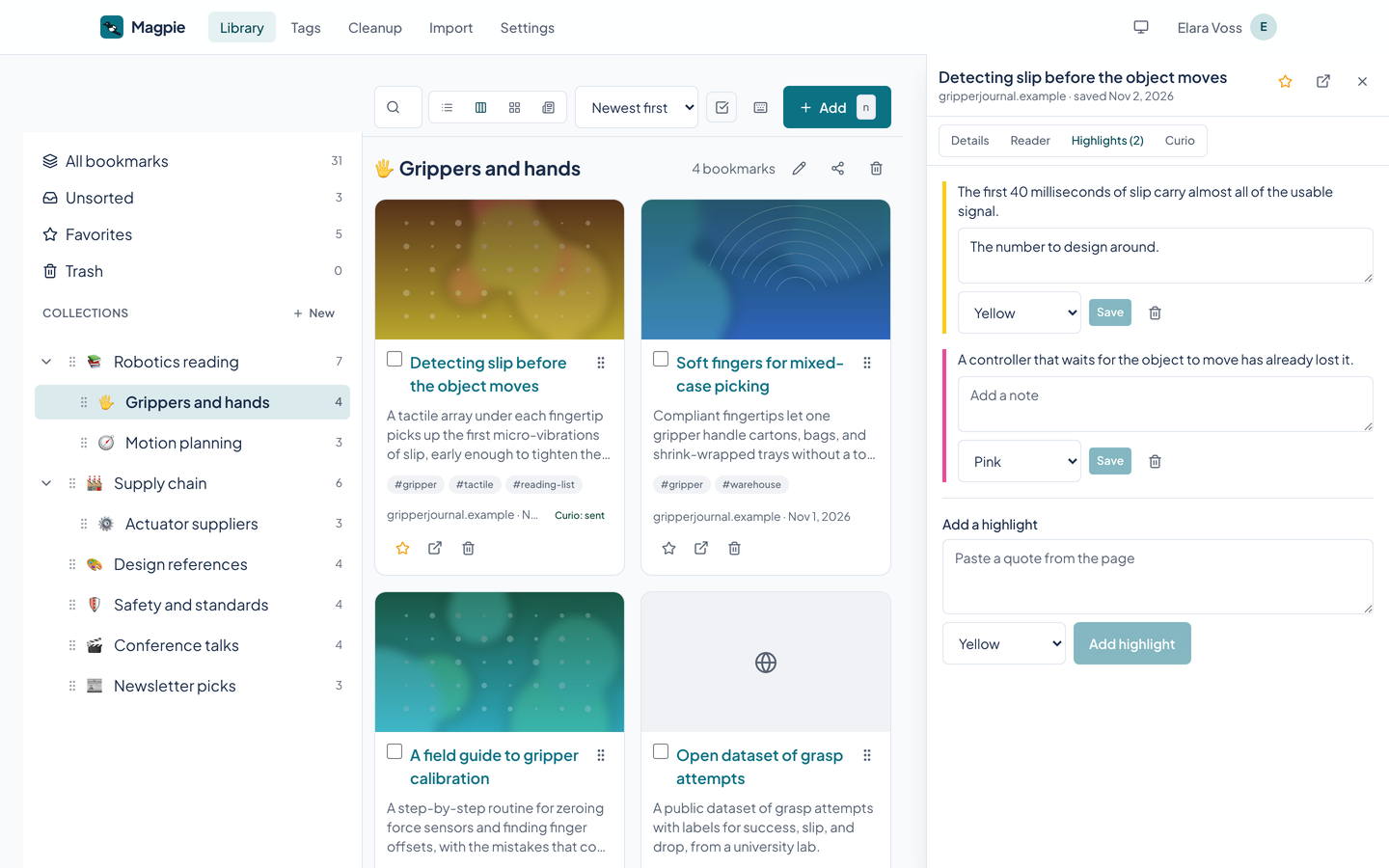
Select a passage on a page and save it as a highlight with an optional note and one of five colors. Highlights appear on the bookmark and are searched with everything else.
Search that reads the page
Full-text search across titles, notes, tags, highlights, and the saved page itself, with the title and tags ranked above the body. Operators narrow it: a #tag, type:article, site:, is:favorite, is:broken, created:2026-10, a quoted phrase, or a minus sign.
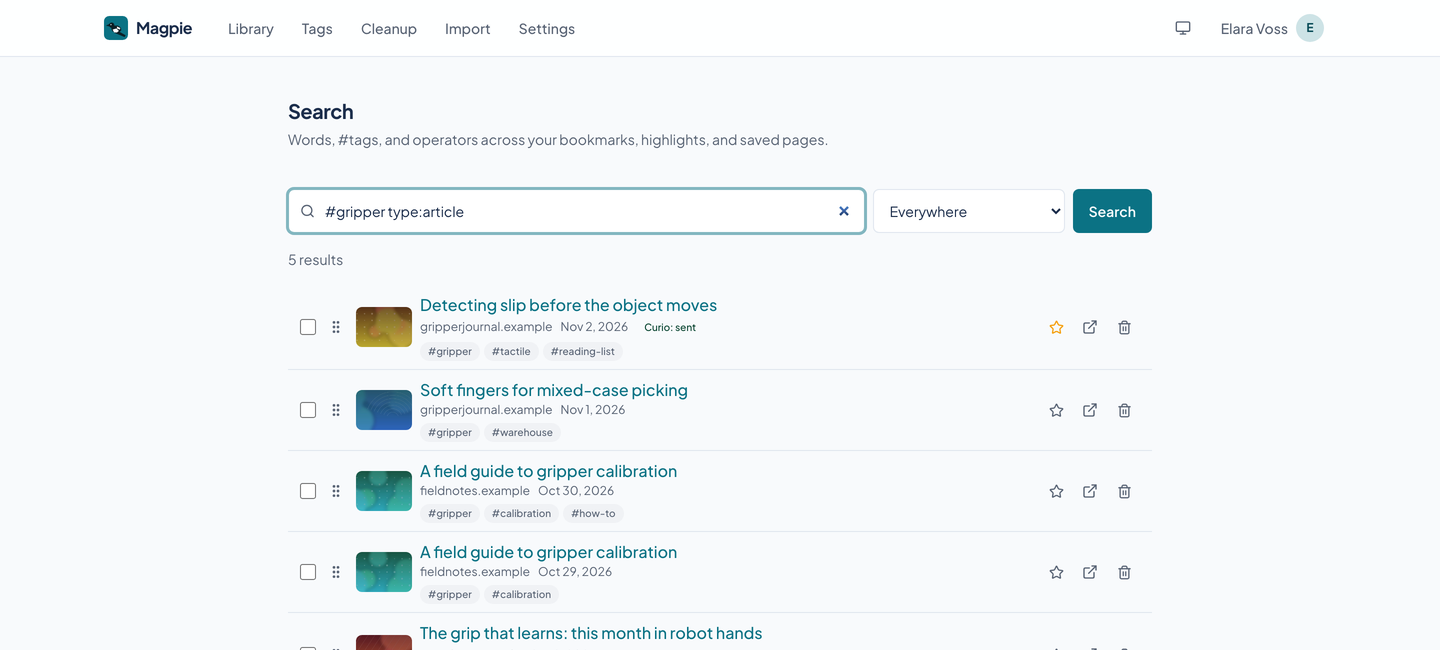
A recording of the Magpie web app on an invented library. From All bookmarks, the slash key focuses the search box and the word "lubricant" is typed. Enter opens the Search page, which reports one result: a bookmark titled "How harmonic drives fail, and how to hear it". The word is in that bookmark's saved copy and in no title, tag, note, or highlight, so the search found it by reading the page itself.
Cleanup, a public page, and a bridge to Curio
Duplicates and dead links
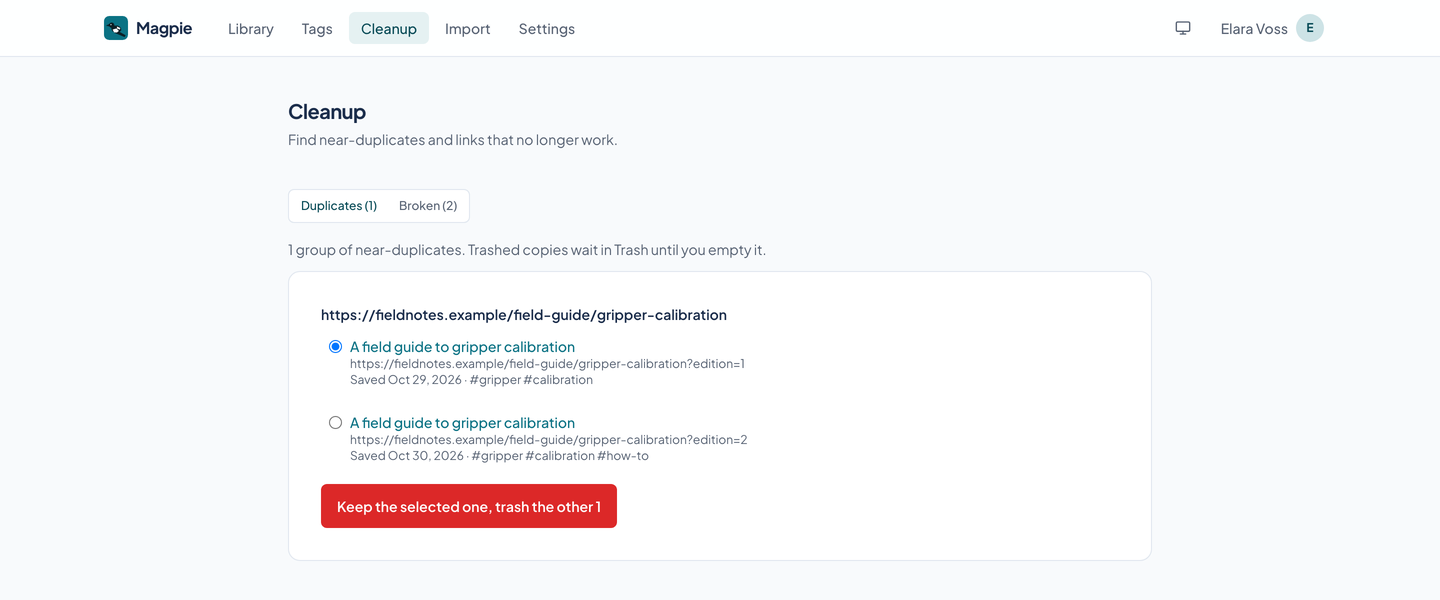
A weekly link check flags pages that no longer load, and a Broken list shows the status that did it. A Duplicates view finds the same page saved twice with different query strings, and keeps one with a click.
- Import and export
- Bring in a bookmark file from your browser or from another bookmark or read-later service, with folders kept as collections and tags and notes preserved. Export everything, or one collection, as an HTML bookmark file, CSV, or JSON that imports back without loss.
Share a collection
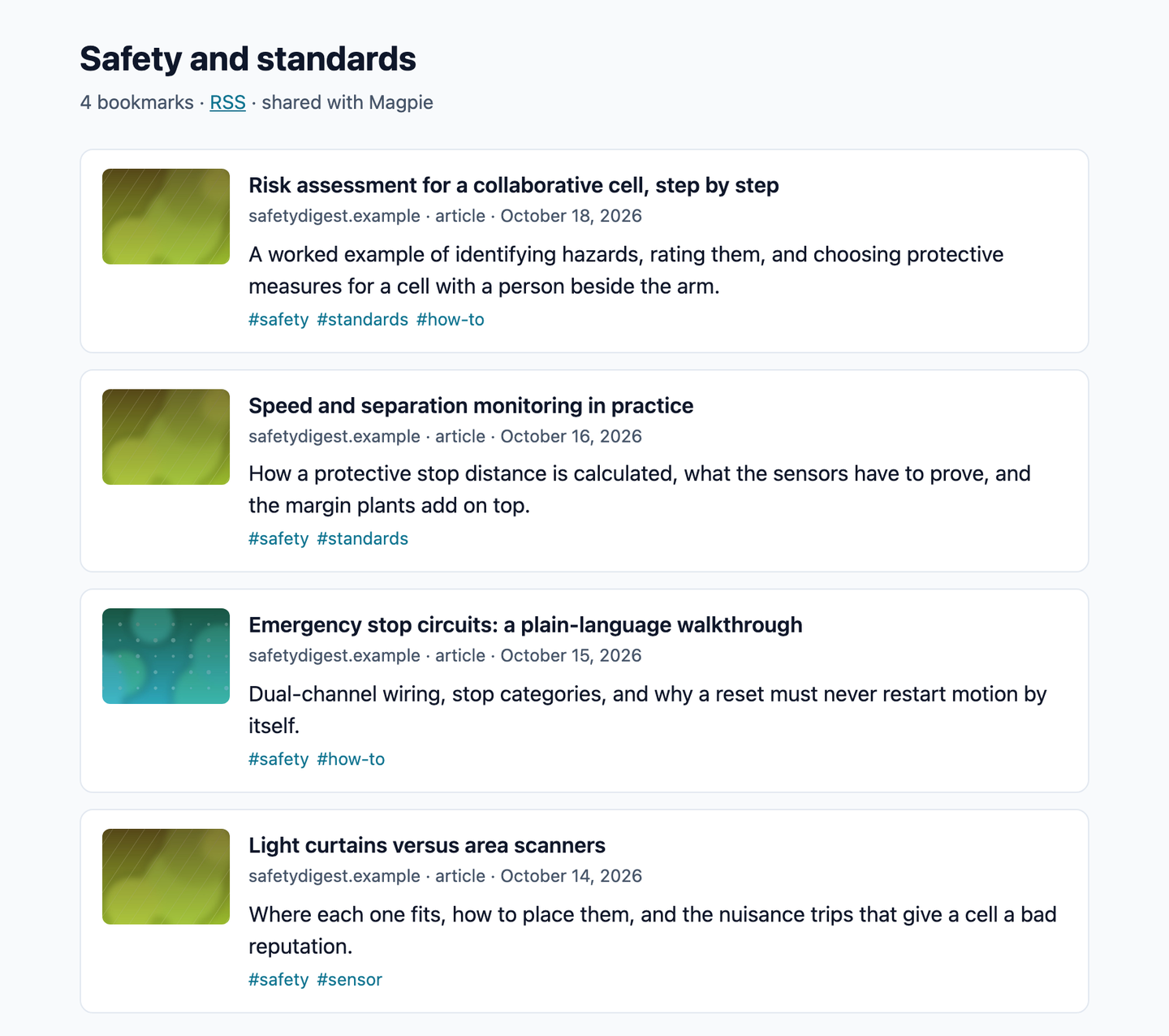
Make a collection public and it gets an unguessable address, a JSON form, and an RSS feed. The page shows only titles, links, excerpts, covers, tags, and dates. Notes, highlights, and everything private stay private, and turning sharing off ends the address at once.
Send to Curio
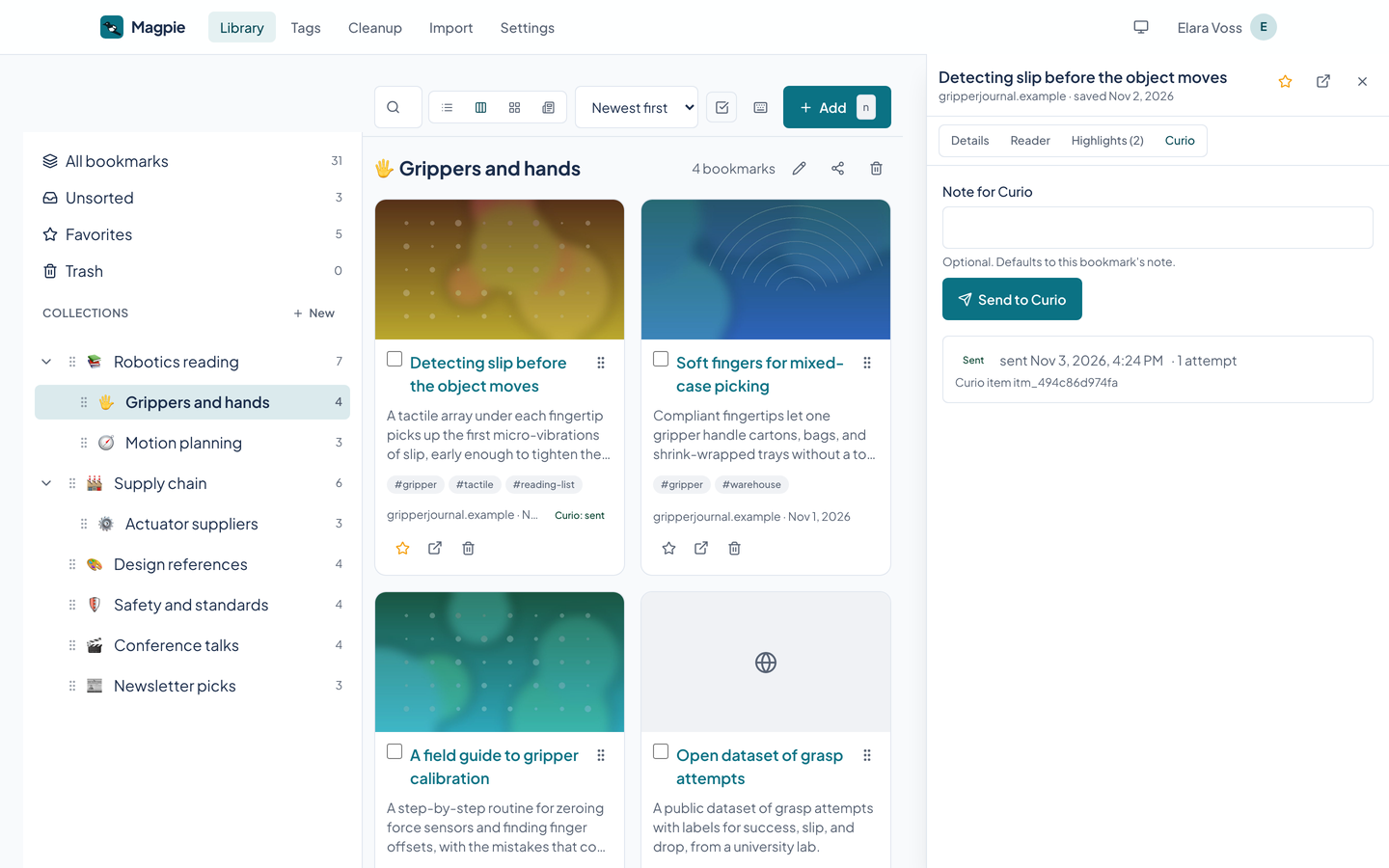
Tick Also send to Curio when you save, or send any bookmark later, and Magpie forwards the link, your note, and its tags to Curio's inbox through Curio's MCP server. The extension never talks to Curio; Magpie does, and the Curio key stays on Magpie's server. Every send is a recorded delivery.
Connect it once
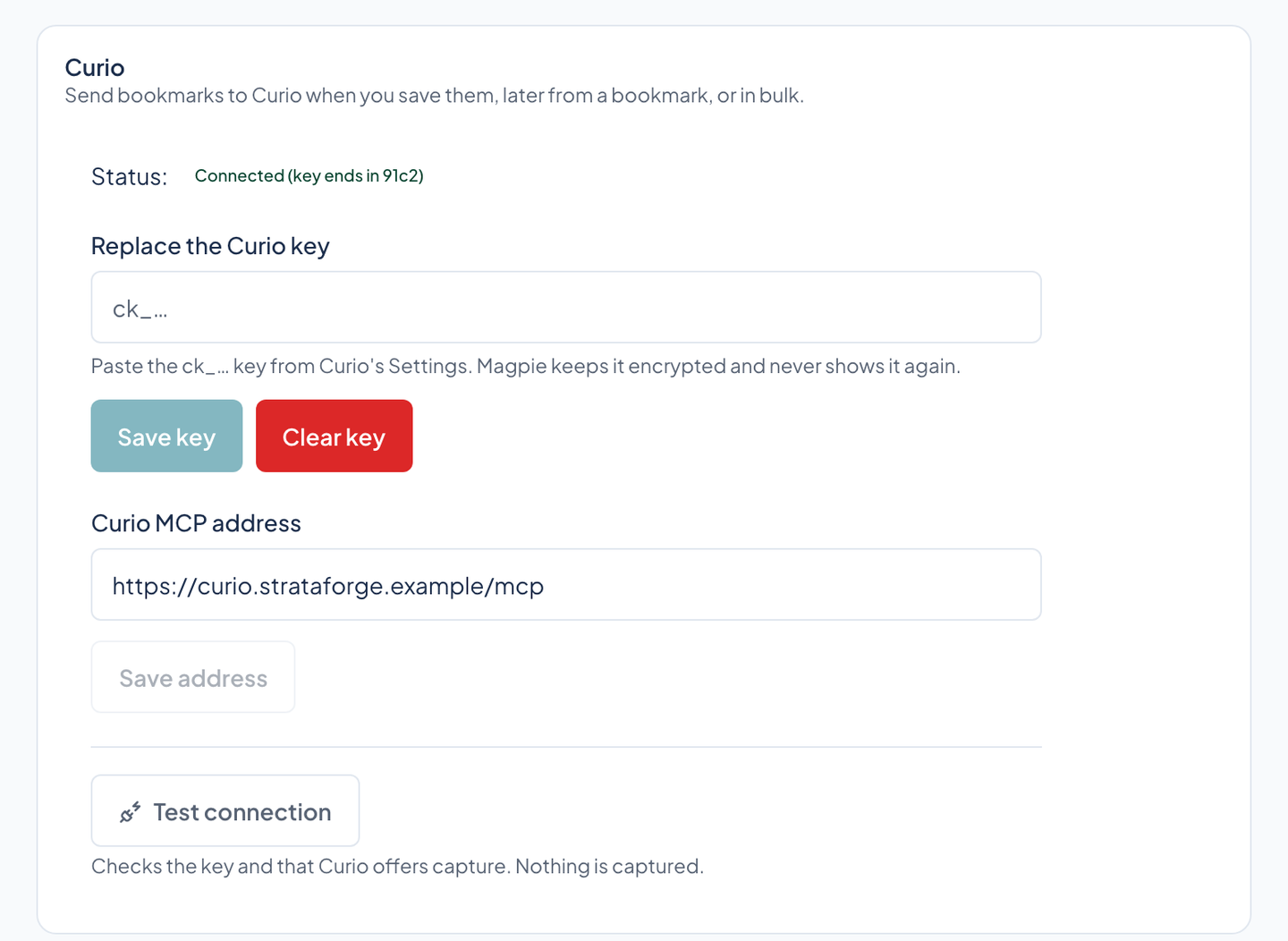
Paste a Curio capture key in Settings. Magpie stores it encrypted, never shows it again, and a Test connection button checks the connection without capturing anything.
- Speaks MCP
- Every operation is a tool an agent can call over MCP: save, search, tag, move, read a saved copy, share, find duplicates. No tool can delete anything permanently; deleting moves a bookmark to Trash, and only a person empties it.
From a click to a copy you can search
Save
The extension, the web app, an import, or an agent sends the page's address, and Magpie stores the bookmark and answers at once.
Enrich
In the background, Magpie fetches the page and fills in the title, description, cover, and type, without overwriting anything you edited.
Keep
The readable text is cleaned and stored as the permanent copy, and the search index is updated to include it.
Send
If you asked, Magpie forwards the link, note, and tags to Curio over MCP, retries a failed send, and records the delivery.
Built so everyone can use Magpie.
Magpie's web app is built on the Renkara design system. A scripted axe-core run covers seven views in light and dark at phone and desktop widths, and the same run walks the keyboard path through the library and its shortcuts. Here is what the product supports today and what we have actually checked. We do not claim a WCAG conformance level for the product.
Partly supported
Keyboard operation
Every control is a native link, button, or form field. In a scripted run, a 40-press Tab walk of the library showed a focus indicator on every stop, the slash key moved focus to search, the n key opened the add dialog with focus inside it, and Escape closed it. The Chrome extension's popup was not part of the run.
Partly supported
Screen reader landmarks and labels
axe-core, which checks names, labels, roles, and landmark structure, found no violations of any impact, best-practice rules included, on any scanned view. Magpie has not been tested with a screen reader.
Supported
Contrast in light and dark
Text and controls pass axe-core's color contrast rule in both the light and dark themes on every scanned view, with no violations.
Not yet tested
Reduced motion
In a scripted run, no animation was running on the library with or without the reduced-motion setting, so the run shows nothing animates there; it does not prove every transition honors the setting.
Not yet tested
Text resize and zoom
Resizing text to 200 percent has not been tested.
Supported
Mobile and touch
All seven scanned views fit a 375 pixel and a 320 pixel wide screen with no sideways scrolling of the page. Some controls are smaller than 44 by 44 pixels.
Under the hood
| Library |
|
|---|---|
| The permanent copy |
|
| Search and cleanup |
|
| Chrome extension |
|
| Sharing and Curio |
|
| Stack |
|
| Works with | Curio: Send any save to Curio's inbox, with your note and tags, through Curio's MCP server. |
Built for agents as well as people
Every operation in Magpie is an MCP tool: bookmarks, collections, tags, highlights, the Curio bridge, cleanup, and operations. No tool deletes anything permanently.
Bookmarks
save_bookmarksave_bookmarksget_bookmarklookup_urllist_bookmarkssearch_bookmarksupdate_bookmarkmove_bookmarkstag_bookmarksuntag_bookmarksfavorite_bookmarktrash_bookmarkrestore_bookmarkrefetch_bookmarkread_bookmark
Collections
list_collectionscreate_collectionupdate_collectionshare_collectiondelete_collection
Tags and highlights
list_tagsrename_tagmerge_tagsdelete_tagadd_highlightlist_highlights
Curio and cleanup
send_to_curiolist_curio_deliveriestest_curio_connectionfind_duplicateslist_broken_linkscheck_links
Operations
check_service_healthget_diagnostics
Questions people ask
Can I use Magpie?
Magpie runs in production for Renkara's own use, and there is no public sign-up. This site shows what it does and how it is built. Write to fleet@renkara.com with questions.
What does the permanent copy keep?
The page's title, description, and cover, and its readable text with a small set of safe tags: paragraphs, headings, lists, quotes, code, tables, and images. Menus, comments, scripts, and forms are dropped. It is stored by Magpie, so a bookmark stays readable after the original page changes or disappears.
Does saving a page slow me down?
No. A save stores the bookmark and returns at once. Fetching the page, its cover, and its text happens in the background afterward, and a failed fetch never fails the save.
Does the extension send my pages to Curio?
No. The extension sends the page to Magpie only. When you tick Also send to Curio, Magpie forwards the link, your note, and its tags to Curio through Curio's MCP server, so the Curio key never leaves Magpie's server.
What does a shared collection show?
Titles, links, excerpts, covers, types, domains, tags, and dates. Notes, highlights, Curio state, and every other field stay private and never appear on the page. Turning sharing off, or rotating the address, makes the old address stop working at once.
Can Magpie delete my bookmarks?
Not behind your back. Deleting moves a bookmark to Trash, where it stays until you restore it or empty Trash yourself. No MCP tool can delete anything permanently.
Is the data in the screenshots real?
No. Every screenshot is a capture of the running web app over an invented library for a made-up robotics company: made-up articles on made-up addresses, covers drawn for the demo, and a placeholder Curio connection. Nothing was fetched from the web and nothing was sent to Curio.
Does it need an account with a browser or a cloud service?
Magpie keeps its own copy of everything it saves, so it does not depend on a browser's sync or on the original site. The extension works in Chrome and the browsers built on it.
Questions about this tool?
Write to Renkara Media Group and a person will answer.