
A save, a copy, and a bridge to Curio.
Magpie stores a bookmark the moment you save it, then fetches the page in the background, keeps a clean copy of the article, and indexes it for search. If you asked, it also forwards the save to Curio, and it records every send.

The extension and the save
A save is two clicks, and it never waits on the page.
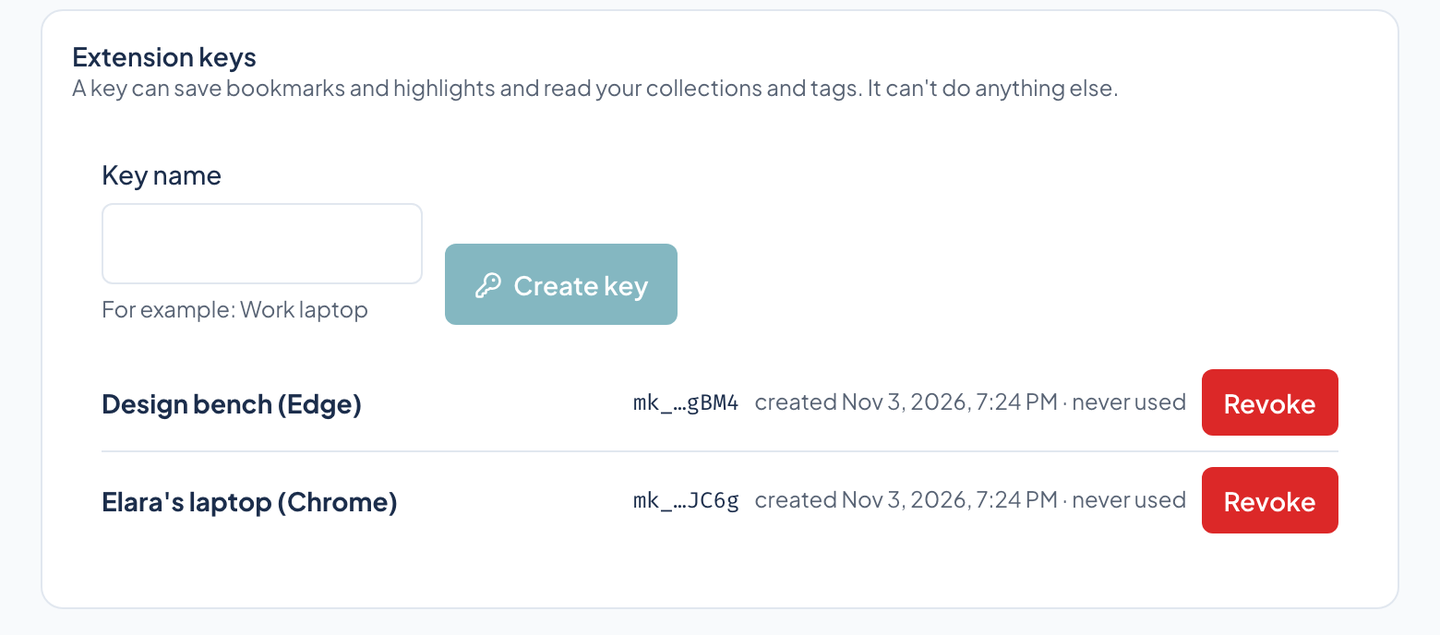
The extension asks for the permissions it uses and host access to one address, the one you set in its options. With no key, or a revoked one, the popup says how to make one instead of failing silently.
Open the popup
Click the toolbar icon or press the shortcut. The popup shows the page's title (editable), its address, a collection picker over the whole tree, tags with autocomplete from your own tags, a note, a favorite toggle, and an Also send to Curio checkbox.
Save
The extension sends the page to Magpie with a key you made in Settings. Magpie stores the bookmark and answers at once; the popup closes.
Or skip the popup
Right-click to save the page, a link, or a selected passage as a highlight. Each saves at once to your default collection and confirms with a notification. Save all tabs files every open tab in the window in one batch.
See what is already saved
A check mark on the toolbar icon says the current page is saved. Open the popup and it shows the collection, tags, and note for editing, with a link to open it in Magpie.
The permanent copy
Magpie keeps what the page said, not just where it was.
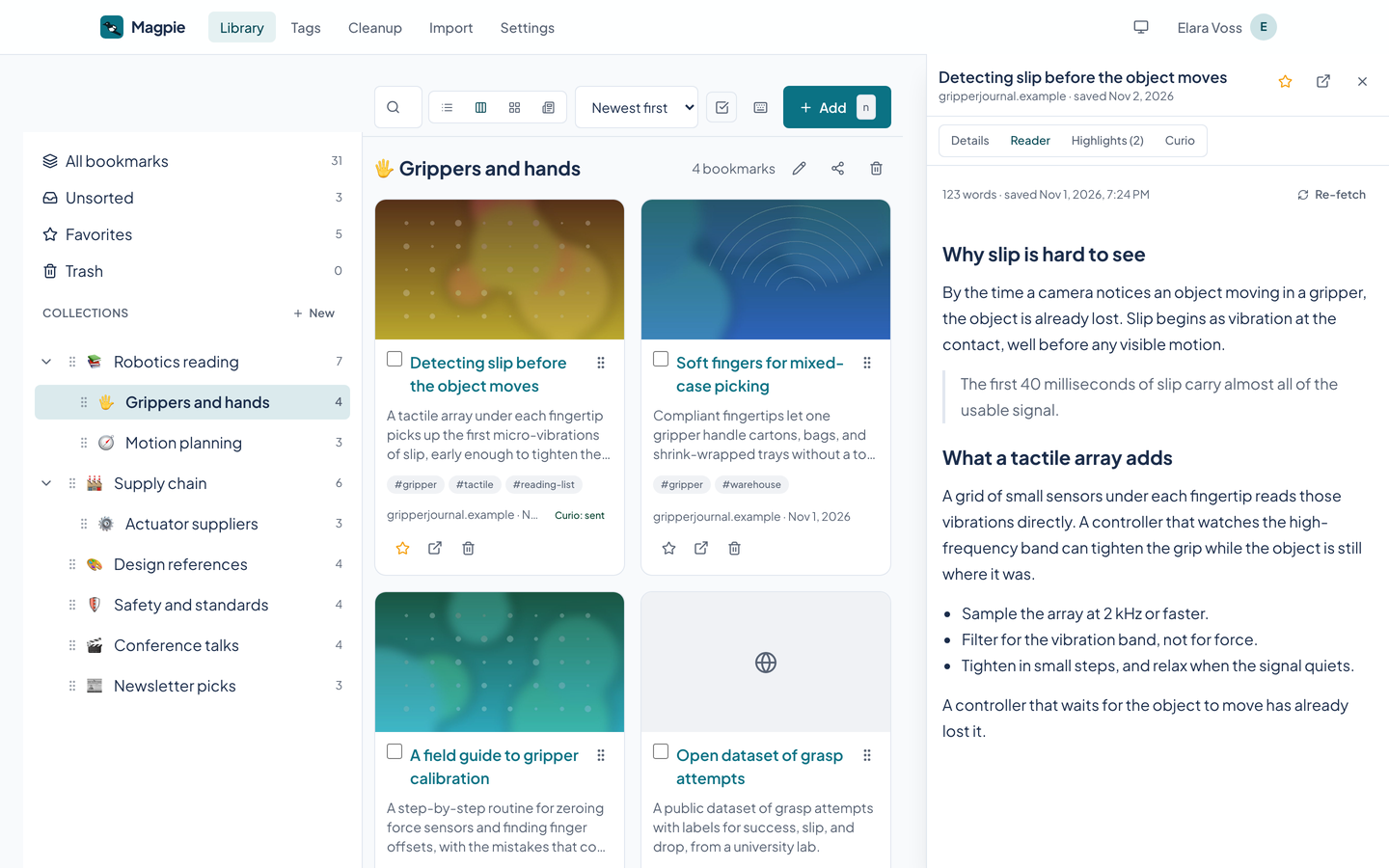
After a save, Magpie fetches the page and fills in its title, description, cover, and type, leaving alone anything you edited yourself. For an article it also extracts the readable text, the largest block of real prose, after dropping menus, headers, footers, sidebars, scripts, forms, and anything marked as a comment, a share bar, or an ad.
What is kept is sanitized to a short list of safe tags and stored by Magpie, and the cover image is stored too. The reader view shows the copy in a clean column beside the bookmark. When the original page changes or disappears, the copy is still there.
Every fetch goes through one outbound path that refuses private, loopback, and internal addresses, follows at most five redirects, and stops at five megabytes.
Search
Find it by a word you remember from the page.
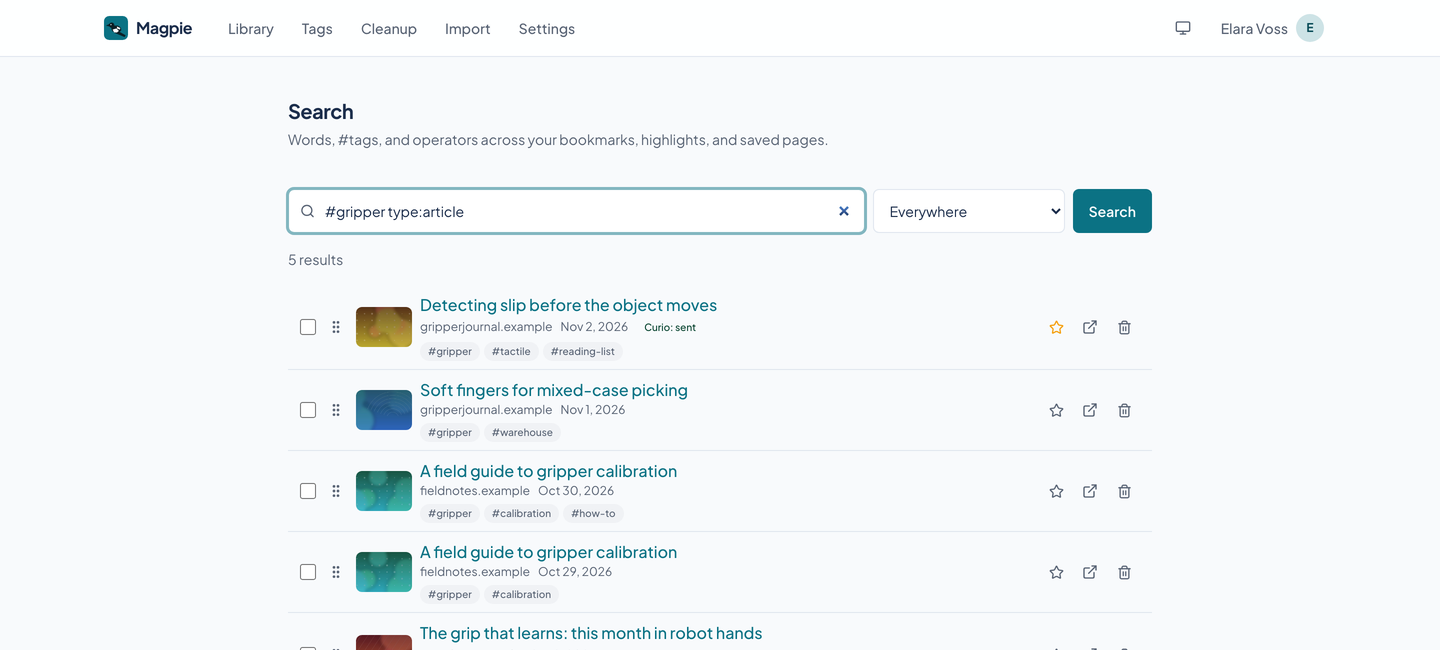
Search covers titles, notes, tags, domains, highlights, and the saved text of the page, ranked so a title or tag match comes before a match in the body. Words are not stemmed, so code terms and names are found as written, and the last word matches as a prefix while you type.
| #rust, -#rust | Has the tag, or does not |
|---|---|
| type:article | One type: link, article, video, image, document, or audio |
| site:example.com | A site, including its subdomains |
| is:favorite, is:broken, is:duplicate | Favorites, dead links, or near-duplicates |
| notag | Bookmarks with no tags |
| created:2026-10, created:>2026-01-01 | A month, or after or before a date |
| "exact phrase", -word | A phrase, or leave a word out |
The Curio bridge
The extension sends to Magpie. Magpie forwards to Curio.
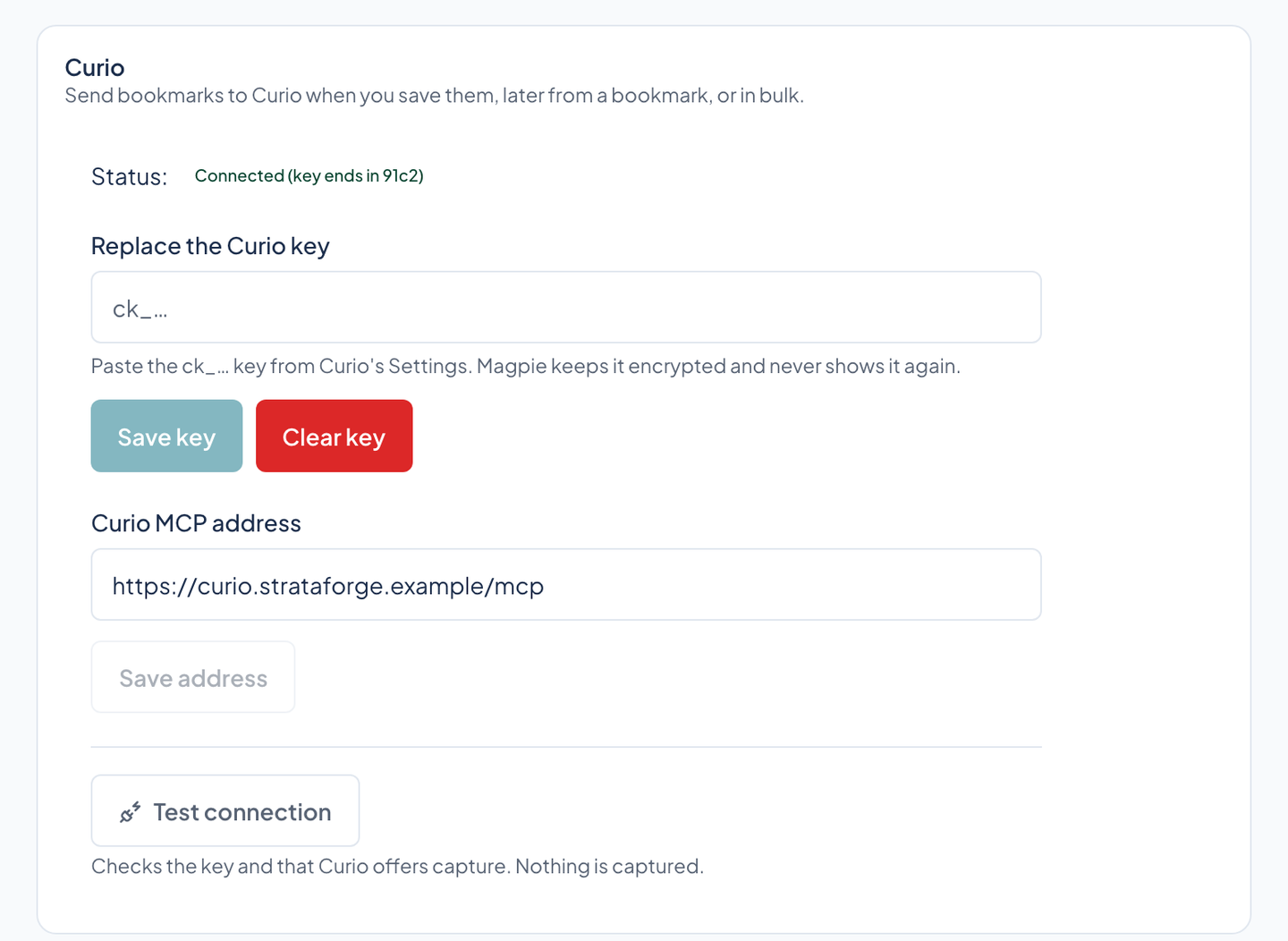
The extension never talks to Curio, so the Curio key lives only on Magpie's server, stored encrypted and never returned or logged. Settings shows that a key is set and its last four characters, and a Test connection button opens a session, confirms Curio offers its capture tool, and checks its health, without capturing anything. Sending the same bookmark again makes a new delivery only when you ask; an automatic retry never duplicates one that was sent.
Ask
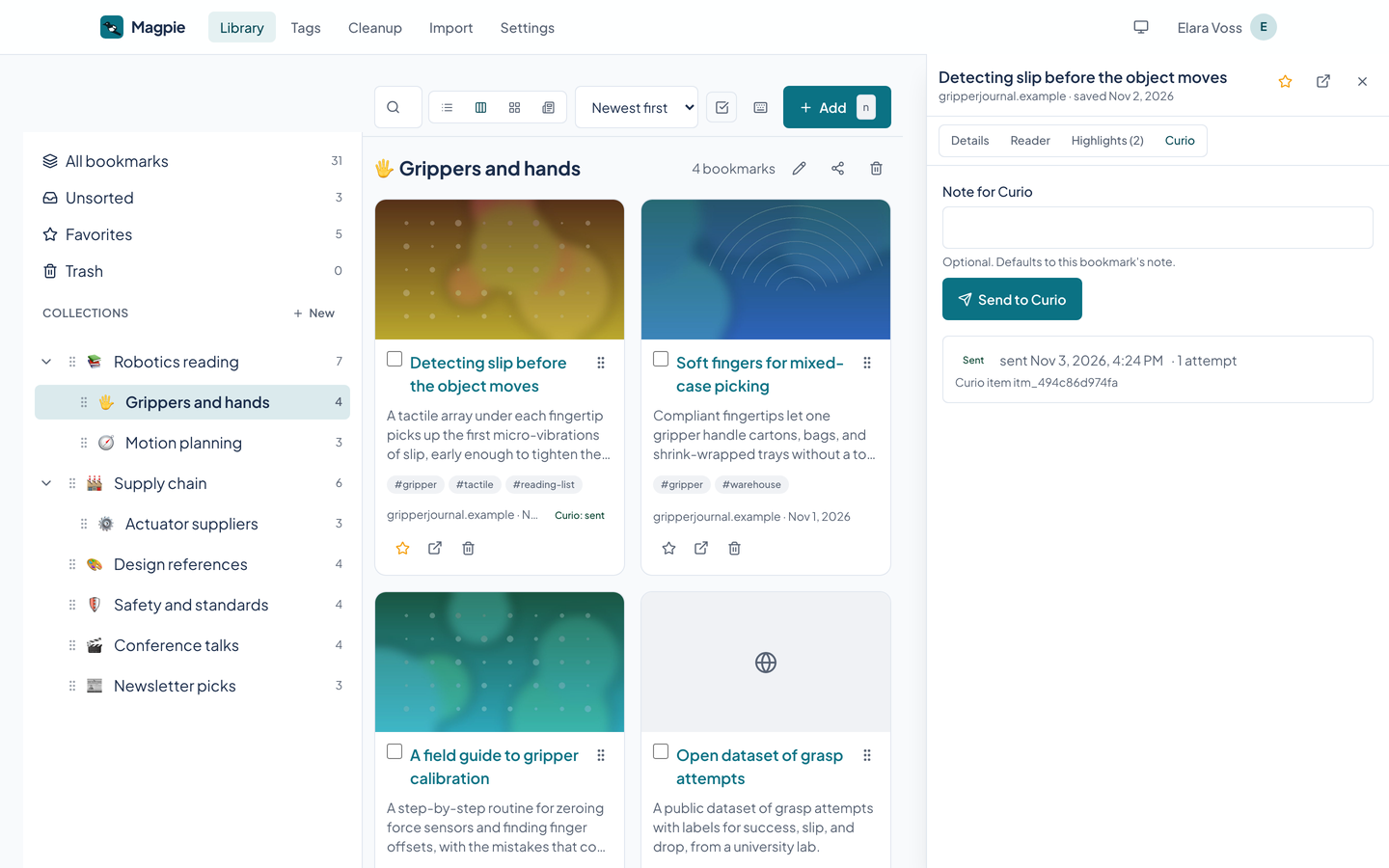
Tick Also send to Curio in the extension or the web app's save dialog, add an optional note for Curio, or send any bookmark later or in bulk. A collection can also be set to send everything saved into it.
Record
Magpie writes a delivery in the same step as the bookmark, with the note and the bookmark's tags, and answers the save. Nothing waits on Curio.
Forward
A background pass opens a session with Curio's MCP server using the capture key you gave Magpie, and calls Curio's capture tool with the link, the note, and the tags. The note is the Curio note you typed, or the bookmark's own note.
Track
A reply marks the delivery sent and keeps the item number Curio returned. A refused key fails it at once with a message; a network error or a server error retries with backoff, up to six attempts over about a day, then waits for you to retry.
| Pending | Recorded, waiting for the background pass or a retry. |
|---|---|
| Sent | Curio accepted it. The bookmark shows its latest delivery, and the drawer lists them all with the time and Curio's item number. |
| Failed | Curio refused the key, or retries ran out. The reason is shown, and you can send again. |
Cleanup and sharing
Keep the library honest, and share a slice of it.
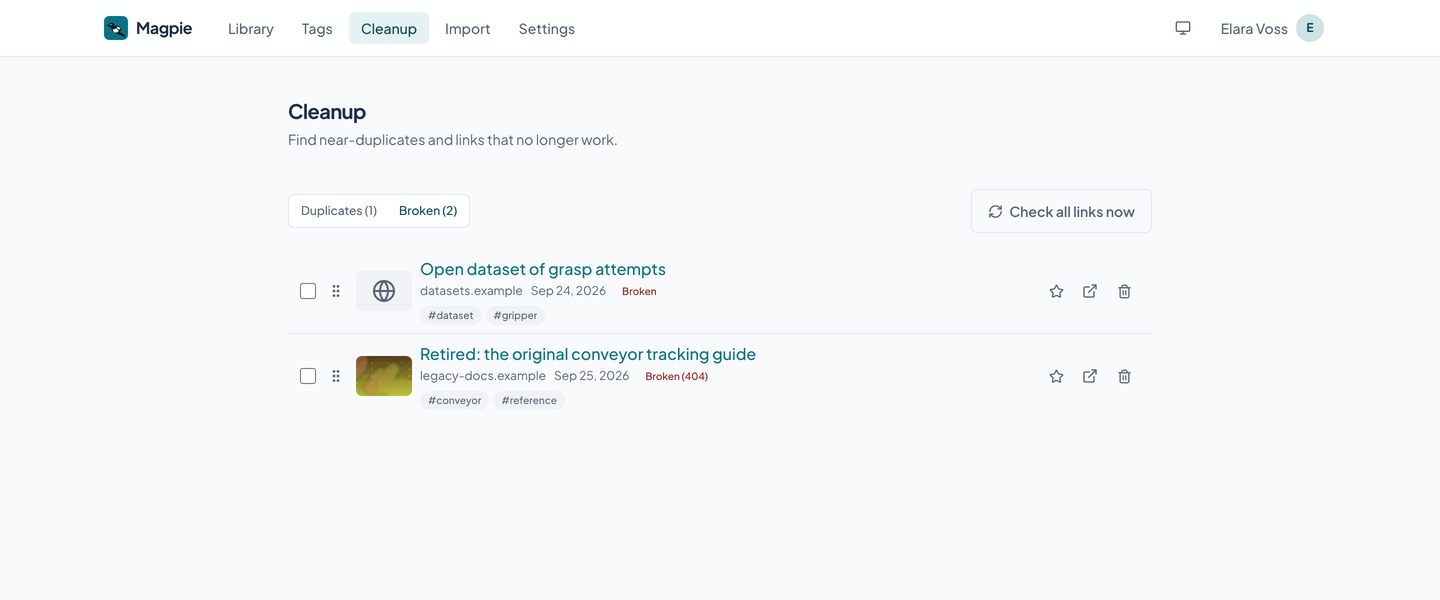
- A link check runs on each bookmark at most once a week. The Broken list shows every dead link with the status that made it so, and a check can be started on demand.
- The Duplicates view groups bookmarks whose addresses match once the query string is ignored, so the same page saved twice shows up, and keeps one with a click.
- A public collection gets an unguessable address, a JSON form, and an RSS feed. The page is built from an allowlist of fields, so a new field is private until someone adds it on purpose, and its content security policy allows no scripts.
Boundaries
What Magpie is, and what it is not.
- Nothing is deleted behind your back. Deleting moves a bookmark to Trash, and only you empty it. No MCP tool deletes anything permanently.
- An agent can do everything the app can, over MCP, with the same rules.
- Enrichment never overwrites a field you edited.
- Magpie has run in production for Renkara's own use since November 3, 2026.
This site offers no sign-in and no form. Write to fleet@renkara.com with questions.
Questions about this tool?
Write to Renkara Media Group and a person will answer.